 orbitrace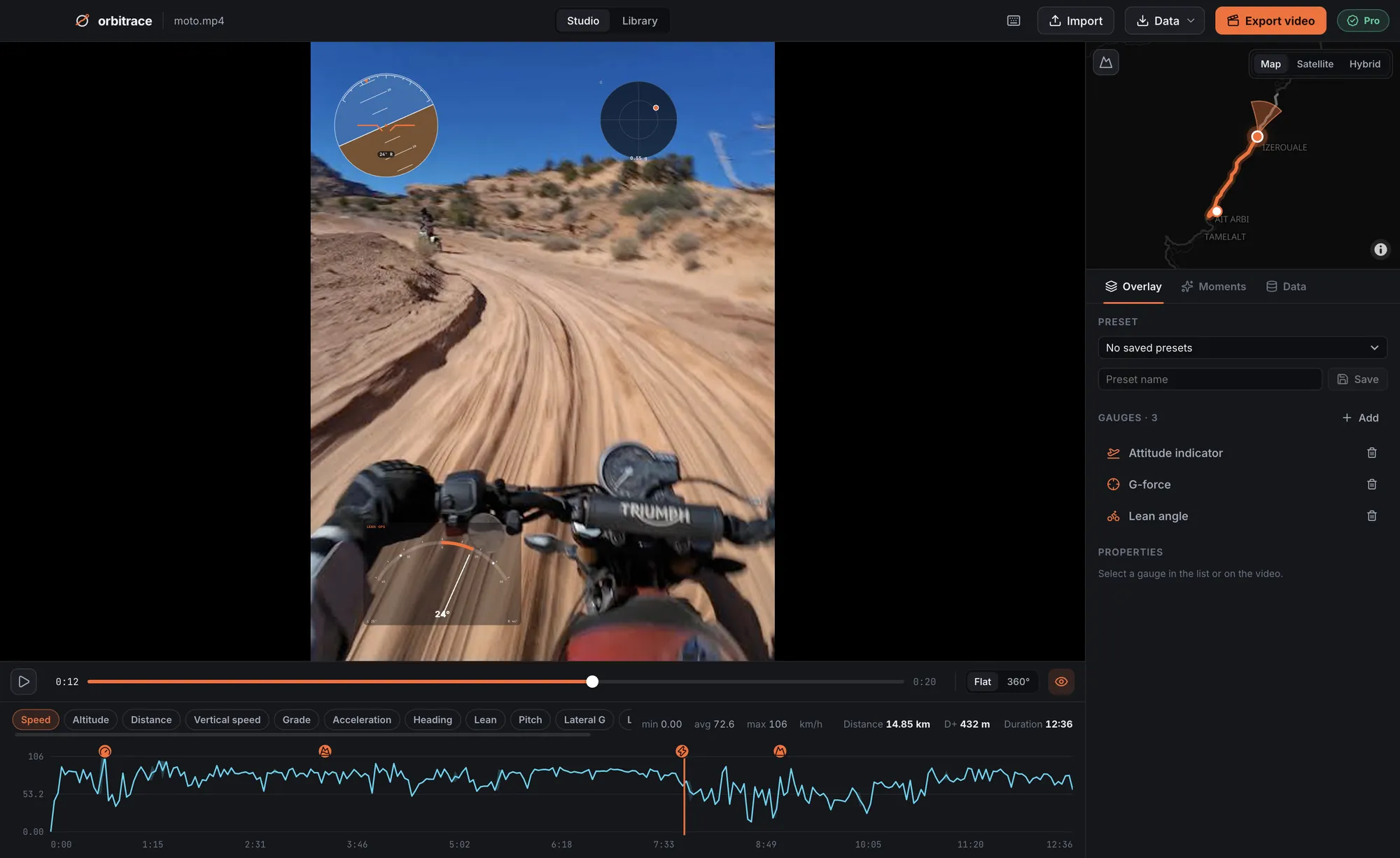
Where does GoPro store your speed?
GoPro cameras record a telemetry track inside every MP4, next to the video and the sound. Its format is called GPMF. It contains the GPS (position, altitude, speed), the accelerometer and gyroscope, and the HiLight tags you pressed. Nothing to export from the camera: copy the MP4, the data comes with it.
Long recordings are split into several MP4 “chapters” by the camera; each chapter carries its own piece of telemetry.
Which GoPro models record speed?
Every GoPro with GPS: HERO5 Black to HERO11 Black, HERO13 Black, and the MAX. The HERO12 Black has no GPS, so no speed in its files — here are the workarounds.
Before you ride: three settings
- GPS on in the camera settings (it can be switched off to save battery).
- Wait for the GPS lock before recording: about a minute under open sky. The first seconds of a clip started too early will have no position.
- Units do not matter at this stage: the data is stored in metres per second and converted at display.
Showing the speed with Orbitrace
- Open the MP4. The track appears on the map and the speed curve on the timeline.
- Add a speed gauge (dial or number), in km/h or mph. Place it on your actual frame, in 16:9, square or 9:16.
- Add what tells the story: a map that turns with your heading, altitude, G-force, lean angle on a bike.
- Jump to the top speed in the Moments tab, trim ±10 s around it and export with your graphics card.
Other ways to do it
- Telemetry Overlay: the reference paid tool in English, very complete, with a lifetime licence starting at $199 on their site.
- DashWare: free and Windows-only, but no longer updated and unaware of recent GoPro models.
- Your video editor (DaVinci Resolve, Premiere, Final Cut): none reads GoPro telemetry natively; you need a plugin or an intermediate tool.
Orbitrace’s angle: Mac and Windows, Insta360 .insv read natively, highlights found automatically, and a launch price of €80.
How accurate is the speed?
GPS speed is measured from the Doppler effect of satellite signals, not only from the distance between two positions: on open terrain it is generally reliable to within a few km/h. It degrades in tunnels, deep valleys, under dense trees or between tall buildings. Orbitrace offers smoothing and a speed filter to tidy up isolated jumps.