 orbitrace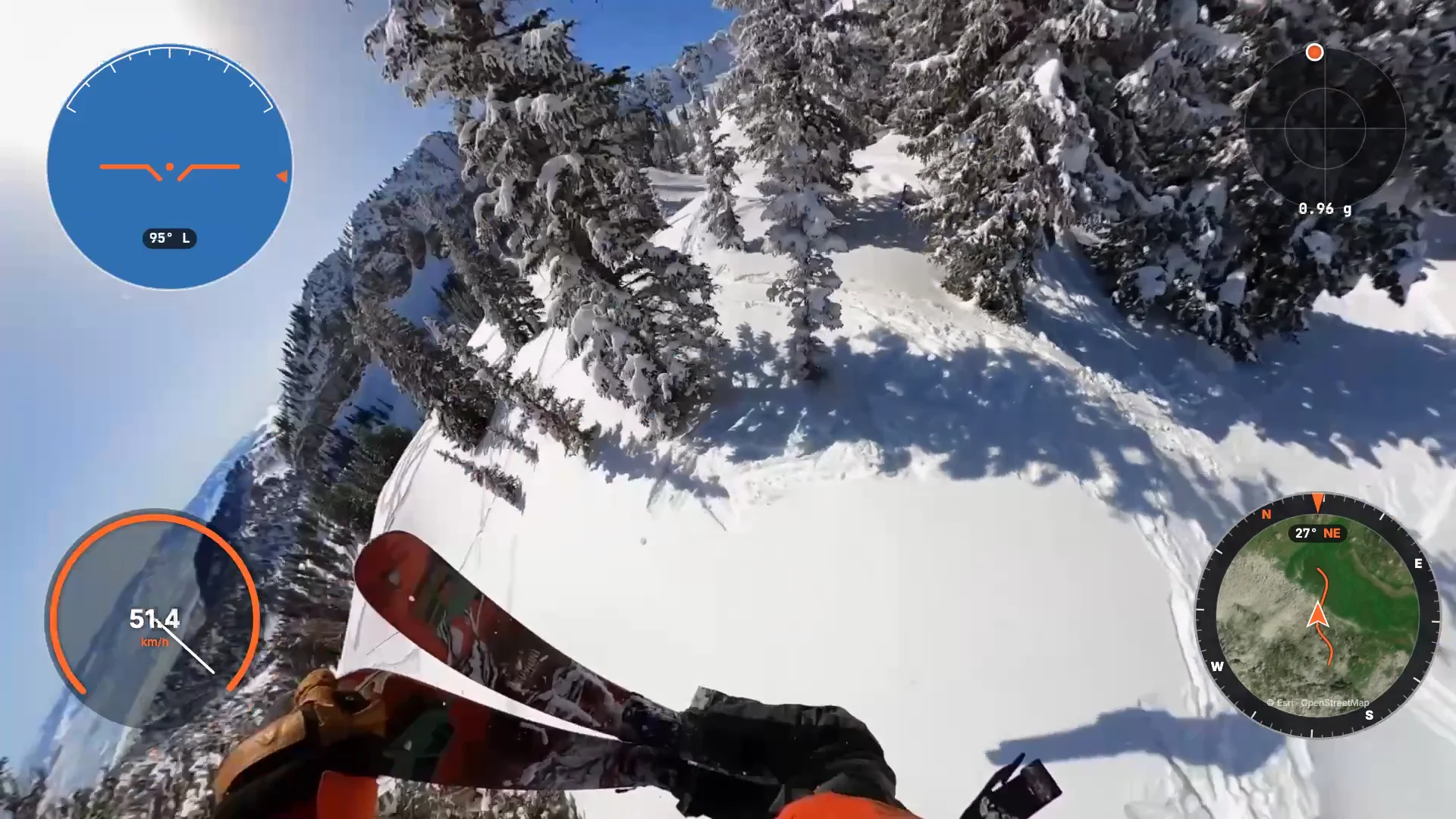
What Orbitrace shows on a ski video
- Speed in km/h or mph, with your top speed;
- Altitude and vertical drop, plus a chart of the run;
- Jumps detected automatically with their airtime — for example “Jump · 1.41 s in the air”;
- Artificial horizon that follows your rotations, and G-force on landings;
- A satellite map of the slope that turns with you.
How jump detection works
In the air, the camera is in free fall: its accelerometer suddenly reads close to zero, then a sharp spike on landing. Orbitrace spots that pattern in the motion sensors and measures how long it lasted. It works with GoPro and Insta360, with or without GPS.
From a day of skiing to a 20-second clip
- Point Orbitrace at your SD card: every run is scanned and drawn on the map.
- Open the Moments tab: top speed, jumps, steepest descent.
- Export ±10 seconds around the moment, in landscape or vertical, gauges included.
Tips for good data on snow
- Cold drains batteries: keep a spare warm in an inside pocket.
- Let the GPS find its position under open sky before the first run (GoPro) or keep the Insta360 app open on your phone.
- Mount the camera rigidly (helmet, chest) for clean sensor data on jumps.